
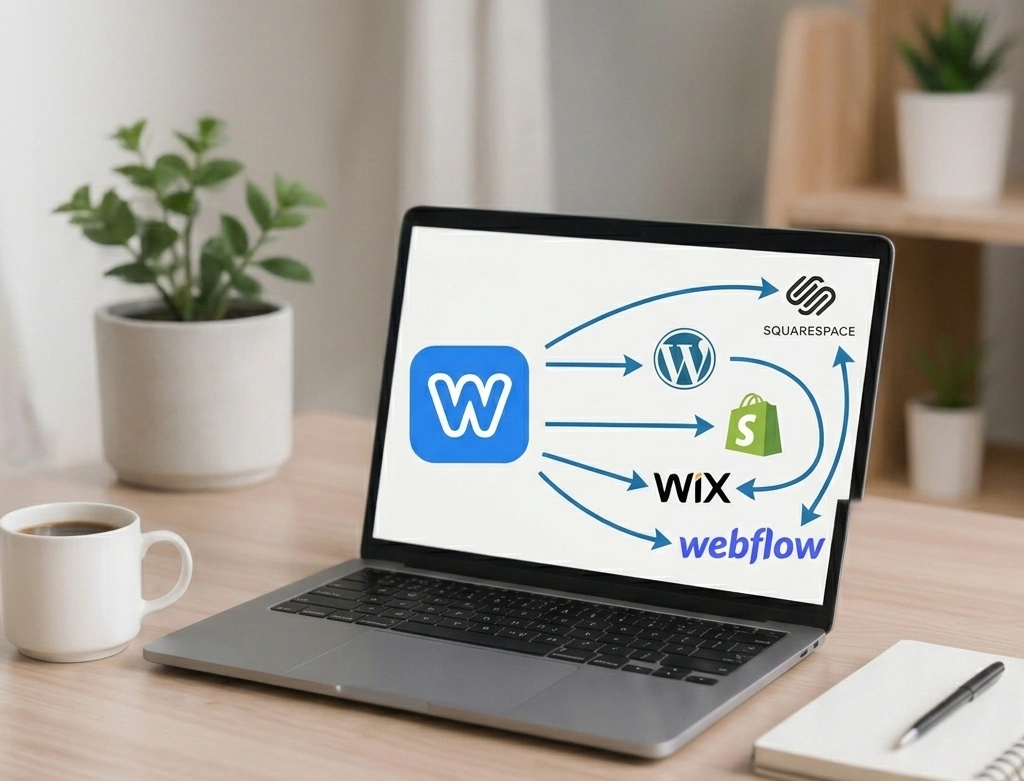
Thinking about moving your website away from Weebly?
Whether you’re looking for more design flexibility, stronger SEO capabilities, better performance, advanced eCommerce features, or simply a platform that can grow with your business, website migration is often the next logical step.
Moving a website is not as simple as copying and pasting pages from one platform to another. A proper migration involves planning, content transfer, design recreation, SEO preservation, testing, quality assurance, and launch management. Done correctly, a migration can improve your website’s performance and future growth potential. Done incorrectly, it can result in broken pages, lost rankings, missing content, and frustrated visitors.
This comprehensive guide explains everything you need to know about migrating a Weebly website to another platform, including what website migration means, why businesses move away from Weebly, common migration challenges, and the exact step-by-step process we use to ensure a smooth transition.
What Is Website Migration?
Website migration is the process of moving a website from one platform, hosting environment, domain structure, or technology stack to another while preserving content, functionality, design integrity, and search engine visibility.
In the case of Weebly migration, the goal is usually to move a website from Weebly to a platform that offers greater flexibility, scalability, customization options, or business functionality.
Migration can involve:
- Moving pages and content
- Migrating images and media
- Rebuilding design layouts
- Recreating forms and interactive elements
- Transferring SEO settings
- Updating domain configurations
- Testing functionality
- Launching the new website
The objective is not simply to move a website. The objective is to move it safely while improving its long-term performance and maintainability.
Why Businesses Move Away from Weebly
Weebly is often an excellent starting point for small businesses, startups, and individuals because it provides an easy way to create a website without technical expertise.
However, as businesses grow, many discover limitations that make expansion difficult.
Limited Design Flexibility
One of the most common reasons businesses leave Weebly is design flexibility.
Although Weebly offers templates and customization options, advanced design modifications can become difficult. Businesses often reach a point where they want a website that better reflects their brand identity, customer journey, and marketing goals.
Modern platforms such as WordPress, Webflow, and Squarespace offer significantly more design freedom and customization possibilities.
Better SEO Opportunities
Search engine optimization is crucial for attracting organic traffic.
Many businesses migrate because they want:
- More control over SEO settings
- Better technical SEO capabilities
- Advanced schema implementation
- Greater URL management flexibility
- Enhanced blog functionality
- Improved page speed optimization
Platforms such as WordPress provide powerful SEO tools that can help businesses improve their visibility in search engines.
Greater Scalability
A website that worked perfectly for a small business five years ago may no longer meet the needs of a growing organization.
As businesses expand, they often require:
- More pages
- More integrations
- Larger product catalogs
- Membership functionality
- Advanced forms
- Marketing automation
- Customer portals
Migration provides an opportunity to move onto a platform capable of supporting future growth.
Enhanced eCommerce Features
Businesses running online stores frequently outgrow Weebly’s eCommerce capabilities.
They may need:
- Advanced inventory management
- Subscription products
- Multi-currency support
- Advanced shipping options
- Marketplace integrations
- CRM integrations
Platforms such as Shopify provide significantly more advanced eCommerce functionality.
Better Long-Term Control
Many business owners want complete ownership and control over their websites.
Moving to platforms such as WordPress can provide:
- Greater flexibility
- More customization options
- Access to thousands of plugins
- More hosting choices
- Expanded development possibilities
This level of control often becomes increasingly important as businesses mature.
Read Also:
Pre-Migration Checklist for Your Weebly Website
Choosing the Right Platform After Weebly
Before beginning a migration, it’s important to select the platform that best fits your goals.
Weebly to WordPress
WordPress is often the most popular migration destination because it offers:
- Unlimited flexibility
- Thousands of themes
- Extensive plugin ecosystem
- Advanced SEO capabilities
- Strong blogging features
- Full ownership and control
WordPress is ideal for businesses seeking a platform that can handle websites of businesses of all types and sizes, from startups to mega corporations.
Weebly to Squarespace
Squarespace is popular among businesses that prioritize design simplicity and visual presentation.
Benefits include:
- Beautiful templates
- Easy content management
- Built-in marketing tools
- Strong portfolio functionality
Squarespace works particularly well for creative professionals and service-based businesses.
Weebly to Wix
Wix provides a balance between ease of use and customization.
Businesses often choose Wix because it offers:
- Visual drag-and-drop editing
- Extensive template options
- Built-in business tools
- Simple maintenance
It is often ideal for small to medium-sized businesses seeking simplicity.
Weebly to Webflow
Webflow is a powerful option for businesses wanting highly customized websites.
Advantages include:
- Advanced design control
- Modern CMS functionality
- Excellent performance
- Professional-grade design capabilities
Webflow is particularly popular among agencies and design-focused businesses.
Weebly to Shopify
Shopify is designed specifically for eCommerce businesses.
Key advantages include:
- Robust online store management
- Powerful inventory systems
- Payment integrations
- Scalable infrastructure
For online stores, Shopify is often the preferred migration destination.
Common Challenges During Website Migration
Website migration can be complex. Without proper planning, businesses often encounter problems.
Content Loss
One of the biggest risks is losing content during migration.
This can include:
- Pages
- Images
- Blog posts
- Downloads
- Videos
- Product information
Every piece of content must be carefully reviewed and transferred.
SEO Ranking Loss
Improper migration can negatively impact search rankings.
Common causes include:
- Broken URLs
- Missing redirects
- Lost metadata
- Incorrect page structures
- Crawl errors
SEO preservation must be a priority throughout the migration process.
Design Inconsistencies
No two platforms work exactly the same way.
This means designs often need to be rebuilt rather than copied directly.
Professional migration ensures the new website closely matches or improves upon the original design.
Functionality Issues
Forms, galleries, booking systems, ecommerce tools, and custom integrations often require recreation on the new platform.
Each functionality component should be carefully tested before launch.
Our 7-Step Weebly Website Migration Process
The migration process shown in our methodology is designed to minimize risks while ensuring a smooth transition.
Step 1: Requesting a Service
Every successful migration begins with understanding the website and the business behind it.
The first step is submitting a migration request. During this stage, we gather information about your current Weebly website, business objectives, preferred destination platform, desired timeline, and any special requirements.
We carefully review your website to understand its size, structure, content inventory, functionality requirements, SEO considerations, and design elements. This initial evaluation allows us to determine the scope of work and identify potential challenges before migration begins.
Our goal during this stage is to establish a clear roadmap and ensure both parties have aligned expectations regarding deliverables, timelines, and outcomes.
Step 2: Detailed Discussions
Once we understand the project requirements, we conduct detailed planning discussions.
This stage focuses on identifying what should remain unchanged and what improvements should be incorporated into the new website.
Topics commonly discussed include:
- Platform recommendations
- Design preferences
- Content structure
- SEO considerations
- Required integrations
- User experience improvements
- Future scalability needs
These discussions help create a migration strategy tailored specifically to the client’s goals.
A migration should never be approached as a generic one-size-fits-all project. Every business has unique requirements, and planning is where those requirements are defined.
Read Also:
When Is the Right Time to Migrate Your Website from Weebly?
Step 3: Service Agreement (Optional)
For larger projects or organizations requiring formal documentation, we provide a service agreement outlining project scope, timelines, responsibilities, deliverables, and expectations.
The agreement provides clarity and transparency for both parties.
It helps ensure:
- Clear project boundaries
- Defined deliverables
- Agreed timelines
- Communication expectations
- Revision processes
While optional for smaller migrations, this step is often valuable for complex websites involving multiple stakeholders.
Step 4: Setting Up the New Platform
Before content migration can begin, the destination platform must be prepared.
This stage involves creating and configuring the new website environment.
Tasks may include:
- Creating hosting accounts
- Installing WordPress
- Setting up Shopify stores
- Configuring Webflow projects
- Installing themes
- Setting security settings
- Creating content structures
- Establishing user permissions
Proper setup creates a solid foundation for the migration process and reduces technical issues later.
Step 5: Granting Access to Both Platforms
Migration requires secure access to both the existing Weebly website and the new platform.
Clients typically provide:
- Weebly access
- Hosting credentials
- Domain management access
- Platform administrator accounts
- Security is a major priority during this stage.
We use secure methods for handling credentials and ensure access is restricted to authorized personnel involved in the migration project.
This step also allows us to verify configurations, gather website assets, and prepare for content transfer activities.
Step 6: Migration, Rebuilding, Revisions, and Improvements
This is where the actual migration work takes place.
During this stage, we:
- Transfer content
- Recreate pages
- Upload media
- Rebuild layouts
- Recreate navigation structures
- Configure forms
- Implement SEO settings
- Recreate functionality
Because platforms differ significantly, many website components must be rebuilt rather than simply copied.
We also conduct revision rounds to ensure the website matches expectations.
Clients review progress and provide feedback throughout the process. Adjustments are made to improve accuracy, functionality, and user experience.
The objective is to deliver a website that not only matches the original but often improves upon it in terms of design, usability, performance, and scalability.
Step 7: Completion, Launch, and Ongoing Support
After all content, functionality, and design elements have been completed, we perform extensive testing.
Testing includes:
- Mobile responsiveness
- Form functionality
- Navigation testing
- SEO validation
- Speed testing
- Browser compatibility checks
- Security reviews
Once everything is verified, the website is launched.
This includes:
- Domain connection
- DNS updates
- SSL verification
- Final SEO checks
- Search engine indexing reviews
After launch, support continues to ensure any issues are resolved quickly and the website performs as expected.
Why Hire Experts for Weebly Website Migration?
Many business owners initially consider handling migration themselves.
While this may appear cost-effective, migration mistakes can be expensive.
Professional migration services provide:
Reduced Risk
Experts understand common migration pitfalls and know how to avoid them.
SEO Preservation
Search visibility often represents years of work. Professionals help protect rankings and traffic.
Faster Completion
Experienced migration specialists can complete projects more efficiently.
Better Quality
Professionals ensure content, design, functionality, and performance meet modern standards.
Peace of Mind
Business owners can focus on running their businesses while experts handle technical details.
Final Thoughts
Migrating a Weebly website is an important investment in your business’s future.
Whether your goal is greater flexibility, improved SEO, enhanced eCommerce capabilities, or a more scalable website platform, a properly executed migration can position your business for long-term growth.
The key to success is careful planning, attention to detail, and a structured migration process that protects your content, search rankings, and user experience.
By following a proven migration methodology—or partnering with experienced migration specialists—you can move from Weebly with confidence and launch a website that is faster, more flexible, easier to manage, and built for future success.
Ready to Move Your Weebly Website?
Our team specializes in migrating Weebly websites to WordPress, Squarespace, Wix, Webflow, Shopify, Duda, and other modern platforms.
We handle the entire process from planning and setup to migration, launch, and post-launch support—making your transition smooth, secure, and stress-free.
Search the Blog
Categories
Tags
Related Posts
Migrate your Weebly website for as low as:
$599
- Expert Migration
- SEO Preserved
- Zero Downtime
- 30-Day Support
No spam. Unsubscribe anytime.