

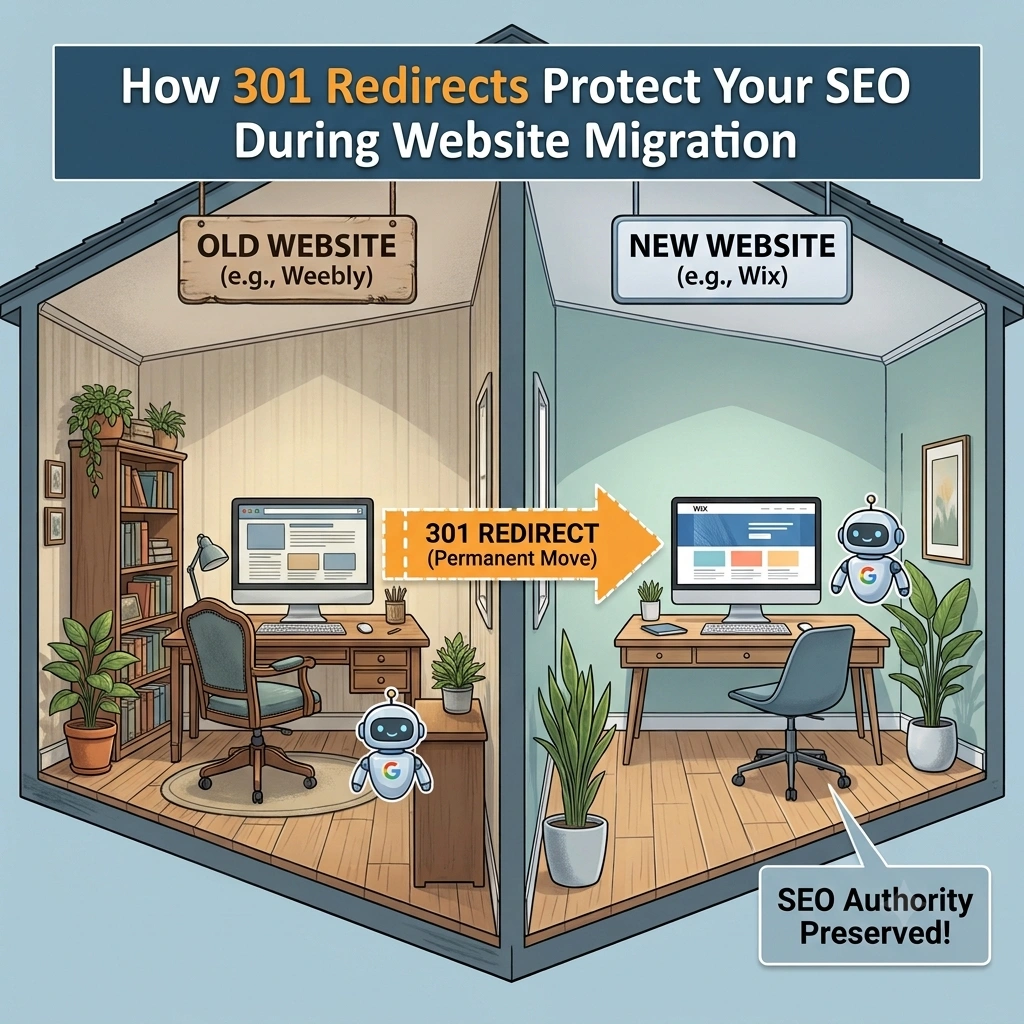
Why Proper Redirects Are One of the Most Important Parts of a Successful Website Migration
Migrating your website from one platform to another is an exciting opportunity to improve your online presence. Whether you’re moving from Weebly to WordPress, Shopify, Wix, Squarespace, Webflow, or another modern website platform, migration allows you to benefit from improved design, better functionality, stronger SEO tools, and greater flexibility.
However, website migration also carries certain risks.
One of the biggest concerns business owners have is whether they’ll lose the search engine rankings they’ve worked so hard to build.
The good news is that many of these risks can be significantly reduced with careful planning—and one of the most important tools in the process is the 301 redirect.
Although 301 redirects are often discussed in technical SEO conversations, they’re actually a straightforward concept. Simply put, they tell search engines and website visitors that a page has permanently moved to a new location.
Without them, even a beautifully redesigned website can lose valuable traffic and rankings after launch.
In this guide, we’ll explain what 301 redirects are, why they matter, how they work, common mistakes to avoid, and why professional website migration services treat redirect planning as one of the highest priorities.
What Is a 301 Redirect?
A 301 redirect is a permanent instruction that automatically sends visitors and search engines from an old web page to its new location.
For example, imagine your current Weebly website contains the following page:
https://www.example.com/services
After migrating to a new platform, the equivalent page might become:
https://www.example.com/our-services
Without a redirect, anyone visiting the old address would receive a “Page Not Found” (404) error.
A 301 redirect automatically forwards visitors from the old page to the new one without requiring them to do anything.
More importantly, it also tells search engines that the page has permanently moved.
Why Are 301 Redirects So Important?
Many website owners focus on copying content during migration but overlook what happens to the original URLs.
Search engines don’t automatically know where your pages have moved.
Without redirects, Google and other search engines may assume that your old pages no longer exist.
This can result in:
- Lost rankings
- Reduced organic traffic
- Broken backlinks
- Poor user experience
- Crawl errors
- Lost authority
Redirects solve these problems by creating a bridge between your old website and your new one.
How Search Engines View Website Migration
Search engines invest significant resources in understanding websites.
Over time, they learn:
- Which pages exist
- What each page is about
- Which keywords each page ranks for
- Which websites link to those pages
- How users interact with them
When you migrate your website, much of that information remains associated with your old URLs.
301 redirects help search engines understand that those pages haven’t disappeared—they’ve simply moved.
This allows search engines to update their indexes while continuing to associate the page’s history and authority with its new location.
Read Also:
Will I Lose SEO When Moving from Weebly?
What Happens Without 301 Redirects?
Let’s imagine you have spent five years building your website.
During that time you have:
- Published dozens of blog articles.
- Earned backlinks from other websites.
- Shared links on social media.
- Appeared in online directories.
- Built strong Google rankings.
If every page suddenly changes address without redirects, search engines and visitors encounter dead ends.
Instead of arriving at useful content, they reach error pages.
This creates several problems.
Visitors Become Frustrated
Nothing damages user experience faster than clicking a search result or bookmark only to see:
404 – Page Not Found
Many visitors won’t search your website for the correct page.
Instead, they’ll simply leave.
Search Rankings Can Decline
Google wants to provide users with pages that actually exist.
If important pages disappear without redirects, search engines may eventually remove them from search results.
This can significantly reduce organic traffic.
Valuable Backlinks Lose Their Value
Backlinks remain one of Google’s strongest ranking signals.
If another website links to one of your old Weebly pages and that page disappears, the value of that backlink may be greatly reduced.
Redirects preserve that connection by sending visitors—and search engines—to the correct page.
How 301 Redirects Preserve SEO
Redirects support SEO in several important ways.
1. They Preserve Existing Rankings
Pages that already perform well in search engines don’t have to start from scratch.
Redirects help search engines understand that the content has moved rather than disappeared.
2. They Protect Backlinks
Years of link building shouldn’t be lost during migration.
301 redirects ensure existing backlinks continue pointing visitors to useful content.
3. They Improve User Experience
Visitors don’t need to know that your website has moved.
They simply arrive at the new page automatically.
This creates a seamless browsing experience.
4. They Reduce Crawl Errors
Search engines regularly crawl websites.
Redirects help reduce unnecessary “Page Not Found” errors while improving crawl efficiency.
5. They Preserve Bookmarked Pages
Many customers bookmark websites.
Redirects ensure those bookmarks continue working after migration.
When Are 301 Redirects Needed?
Redirects are commonly required whenever URLs change.
Examples include:
- Website migration
- Domain name changes
- Website redesigns and restructuring
- URL restructuring
- Content consolidation
Any change that alters page addresses should be reviewed for redirect requirements.
Do All Pages Need Redirects?
Ideally, every important page should have a corresponding destination.
Examples include:
- Homepage
- Service pages
- Product pages
- Blog articles
- Contact page
- About page
- FAQ pages
- Landing pages
Each old URL should point to the most relevant new page.
Simply redirecting every page to the homepage is poor practice and may confuse both users and search engines.
Read Also:
Weebly Is Winding Down Operations in 67 Countries: What It Means for Your Website and Why You Should Act Now
Common Redirect Mistakes
Even when businesses understand the importance of redirects, mistakes still happen.
Redirecting Everything to the Homepage
Some migrations send every old page to the homepage.
Although this avoids 404 errors, it creates a poor user experience because visitors don’t arrive at the information they expected.
Forgetting Blog Posts
Businesses often focus on main website pages while overlooking blog articles.
Blog content frequently generates valuable organic traffic and deserves the same level of attention.
Ignoring Media URLs
PDFs, downloadable guides, brochures, and other media files may also have backlinks.
These assets should be reviewed during migration.
Creating Redirect Chains
Redirect chains occur when one redirect points to another redirect.
For example:
Old URL → Temporary URL → Final URL
Long redirect chains slow down websites and can reduce SEO effectiveness.
Whenever possible, redirects should point directly to the final destination.
Removing Redirects Too Soon
Redirects should generally remain in place long after migration has been completed.
Removing them too early can cause unnecessary problems for returning visitors and search engines.
How We Handle Redirects at Move Weebly Site
At Move Weebly Site, redirect planning is built into every migration project.
Before any website goes live, we create a comprehensive URL map that compares every important page on the existing Weebly website with its destination on the new platform.
This process includes:
- Reviewing existing URLs
- Identifying high-value pages
- Mapping old pages to new pages
- Implementing permanent redirects
- Testing every redirect before launch
- Checking for broken links
- Monitoring the website after launch
Our goal is to preserve as much of your existing SEO value as possible while ensuring visitors enjoy a seamless transition.
Redirects Are Only One Part of SEO Preservation
Although 301 redirects are essential, they represent just one component of a successful migration.
A comprehensive SEO migration also includes:
- Preserving page titles
- Preserving meta descriptions
- Maintaining heading structures
- Updating internal links
- Optimizing images
- Generating XML sitemaps
- Checking structured data
- Monitoring Google Search Console
- Testing website performance
When combined, these practices help minimize disruption and provide a solid foundation for continued search visibility.
Why Professional Website Migration Matters
Website migration is far more than moving text and images from one platform to another.
Every migration involves decisions that can affect:
- SEO
- User experience
- Website performance
- Customer trust
- Business continuity
A professional migration service understands these technical details and follows a structured process to help reduce unnecessary risks.
At Move Weebly Site, we specialize in helping businesses migrate from Weebly to modern platforms while preserving their content, design, and SEO.
Whether you’re moving to WordPress, Shopify, Wix, Squarespace, Webflow, etc., we manage every stage of the migration with care and attention to detail. Click here to schedule an obligation-free consultation.
Frequently Asked Questions
Will 301 redirects guarantee that my rankings won’t change?
No. While 301 redirects are one of the most important SEO preservation techniques, rankings can fluctuate temporarily after any migration. However, a properly planned migration with correct redirects significantly reduces the risk of long-term ranking losses.
How long should redirects remain active?
In most cases, redirects should remain in place for the long term. This ensures visitors using old bookmarks, search engine listings, or external links continue reaching the correct pages.
Can I create redirects myself?
Some website platforms allow you to create redirects manually. However, for larger websites with dozens or hundreds of pages, professional planning helps ensure every important URL is mapped correctly and nothing is overlooked.
Final Thoughts
A successful website migration isn’t judged solely by how your new website looks—it’s also measured by how well it preserves everything you’ve already built.
Your search rankings, backlinks, customer bookmarks, and years of SEO work all deserve protection.
301 redirects play a critical role in making that happen. They provide a clear path for both visitors and search engines, helping ensure that valuable traffic continues to reach your website even after every page has a new home.
If you’re planning to move your website from Weebly to WordPress, Shopify, Wix, Squarespace, Webflow, or another platform, don’t overlook redirect planning. It’s one of the most effective ways to protect your online presence during migration.
Ready to Move Your Weebly Website?
Our team specializes in migrating Weebly websites to WordPress, Squarespace, Wix, Webflow, Shopify, Duda, and other modern platforms.
We handle the entire process from planning and setup to migration, launch, and post-launch support—making your transition smooth, secure, and stress-free.
Search the Blog
Categories
Tags
Related Posts
Migrate your Weebly website for as low as:
$599
- Expert Migration
- SEO Preserved
- Zero Downtime
- 30-Day Support
No spam. Unsubscribe anytime.